Computer Reads Pretty
Let your Mac read to you
Your Mac reads almost anything aloud: websites, books, documents, Discord chats, even text in pictures. The text to speech voices are natural, and they run right on your computer.

Reads from almost anywhere
If you can see it, it can read it.
Select some text, draw a box around a picture of words, or paste a link. Everything you read lands in a Playlist, so you can come back later and pick up where you left off.
- Read Selection
Select text in almost any app and press ⌃⇧R.
- Read what’s on screen
Text you can’t select, like a screenshot or a scanned page? Press ⌃⇧O, drag a box around it, and listen.
- Safari, minus the clutter
The built-in Safari extension reads the article and skips ads and unrelated text.
- Links and the clipboard
Paste a web address or read whatever you just copied, right from the menu bar.
- Discord chats that sound like a conversation
When you read from Discord, it says “Alex says:” instead of reading timestamps, skips emoji, and turns @mentions and links into something you’d actually want to hear. Each tweak can be turned off in Settings.
- Books and documents
Point it at a paged book or document and it reads page after page, turning the pages for you.
- Even with the app closed
Turn on Closed-App Shortcuts and the read shortcuts keep working when the app isn’t open.
Follow along
Watch the words as you hear them.
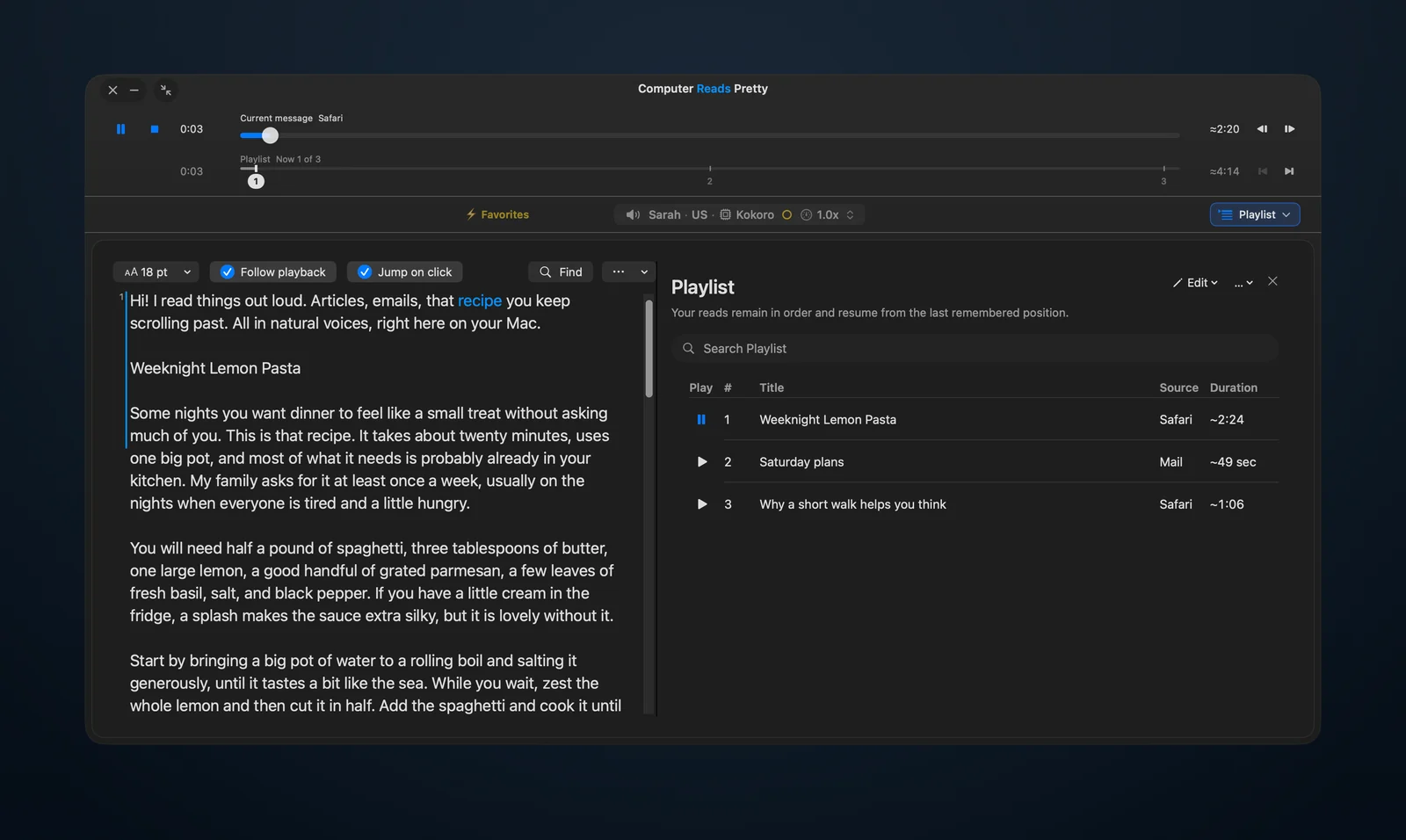
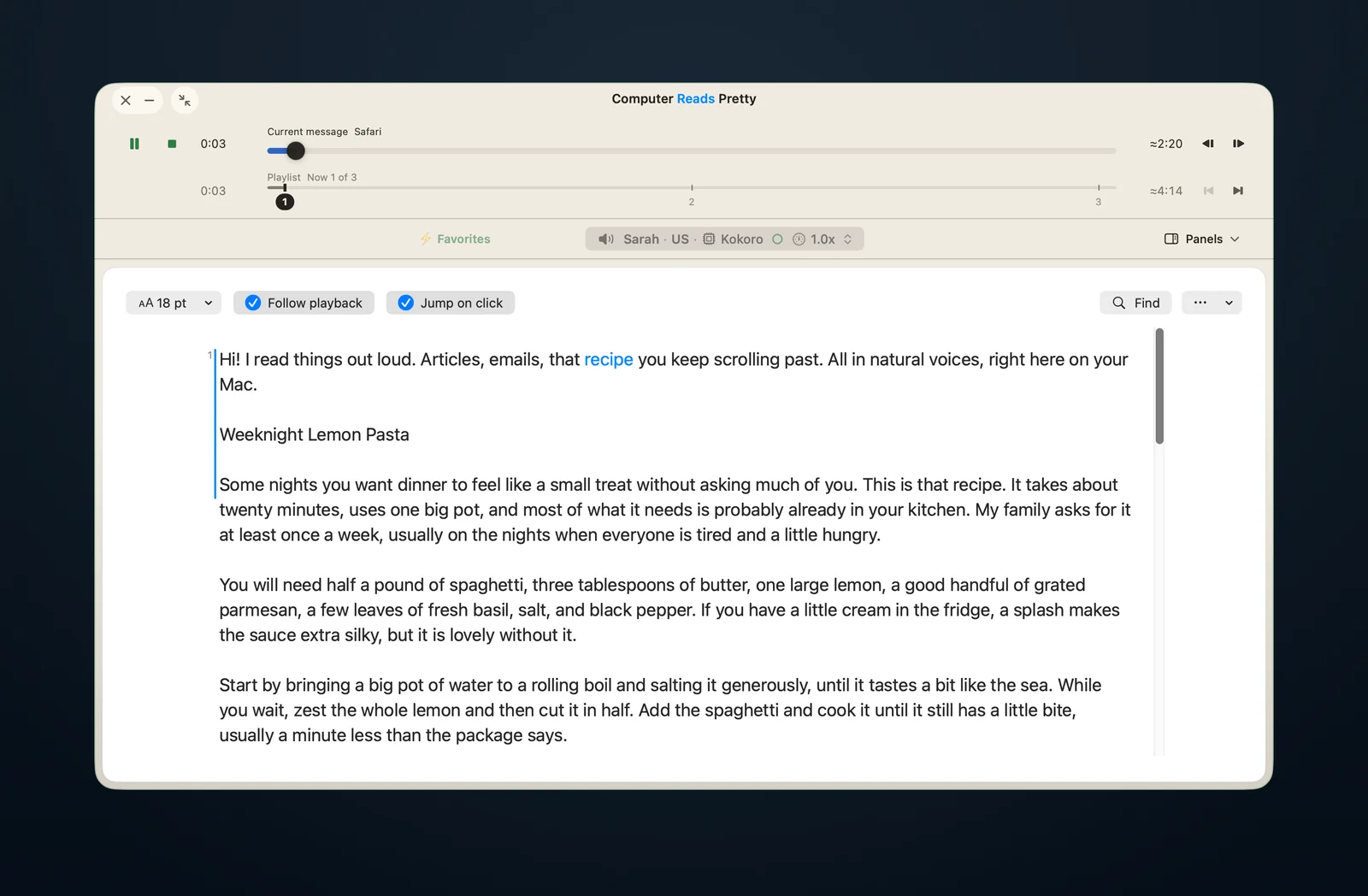
Each word lights up as it’s read, so it’s easy to keep your place or read along. Lost the thread? Click any word and it picks up from there.
- Click any word to jump to it
- Find text in what’s being read
- Playback statistics for the curious
Three sizes
Pick the size that suits you.
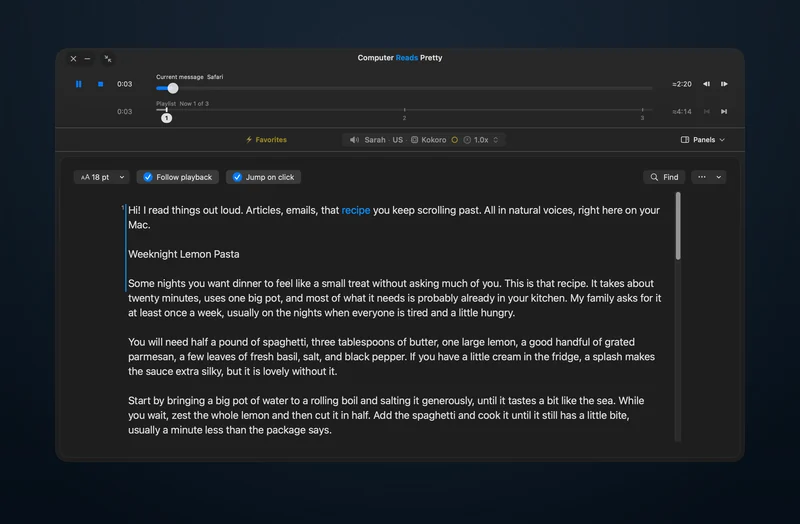
Switch any time with one click, and the reading never stops. Want it completely out of the way? Minimize the player and keep listening.
Big, comfortable text for sitting back and reading along.
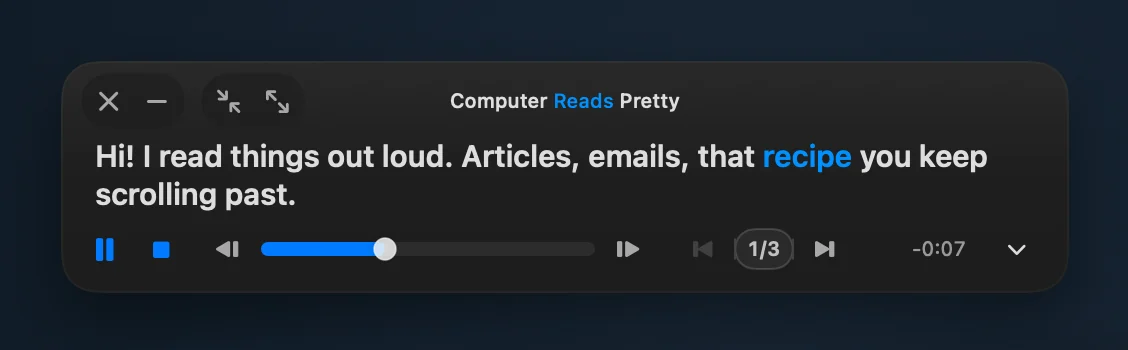
The everyday size. Stays out of your way while you work, and it also lives in the menu bar, one click away.
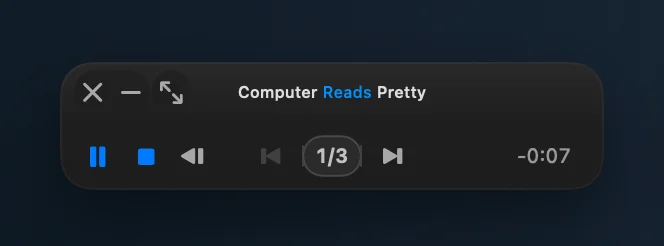
Tuck it away. It keeps reading.
Make it yours
Twelve themes, and plenty of ways to fine-tune them.
Go quiet and native, or a little extra. Pick a theme, then adjust the finish, outline, opacity, blur, and size until it feels right on your desktop. These pictures only scratch the surface.
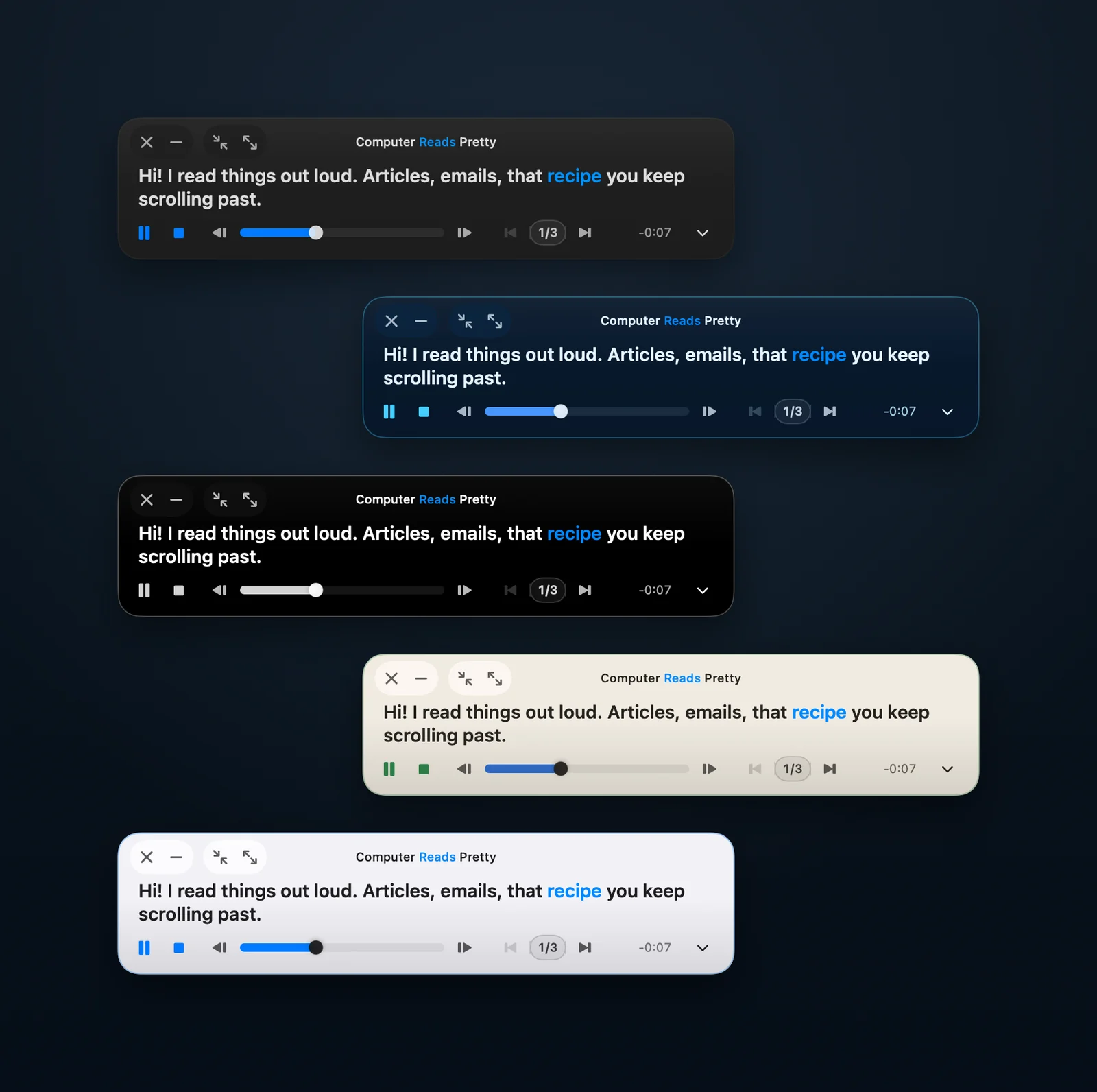
Voices
Voices you’ll actually want to listen to.
Natural, easygoing text to speech (TTS) voices instead of the robotic kind. Preview any of them before you choose, and star your favorites so they’re always close.
- 37
- voices to choose from
- 5
- languages: English (US and UK), Spanish, French, Italian, and Portuguese (Brazil)
- 0
- accounts, sign-ins, or cloud services needed
Private by design
What you read stays on your Mac.
- Voices run on your Mac
Speech is made right on your computer. Your text and audio are never sent anywhere.
- Works offline
No account and no sign-in. Once a license is activated, it keeps working without an internet connection.
- Online only when it has to be
It goes online only to check for updates (you can turn that off), to activate a license, and to open a web page when you ask it to.
Compared with macOS
Your Mac already reads aloud. Here’s what this adds.
macOS has a built-in reader called Speak Selection. It’s a good start. Computer Reads Pretty is built for reading along, every day, and it costs less than a reading subscription.
| Feature | Computer Reads Pretty | Speak Selection in macOS |
|---|---|---|
| Reads selected text with a shortcut | Yes | Yes |
| Highlights each word as it reads | Yes | Yes |
| Click any word to read from there | Yes | No |
| Reads text you can’t select, like a screenshot | Yes, draw a box around it | Only in apps with Live Text |
| Turns the pages of books and documents | Yes | No |
| Reads Discord chats like a conversation | Yes | No |
| Saves what you read in a Playlist for later | Yes | No |
| Voices run on your Mac | Yes | Yes |
What it costs
| App | Price | Over 3 years |
|---|---|---|
| Computer Reads Pretty | $20, one-time. Free to try. | $20 in total |
| Speak Selection in macOS | Included with macOS | Free |
| Speechify Premium | $139 a year, or $29 a month | $417 in total |
| ElevenReader Ultra | $99 a year, or $11 a month | $297 in total |
Compared with Speak Selection in macOS 15 and later. Prices are in US dollars, from each company’s website, checked October 2026. “Over 3 years” uses the yearly plan.
Free to try
Free to use, every voice included.
Start with 30 free minutes of listening, used whenever you like. After that you get 5 free minutes every day, for as long as you want. Every voice and feature is there from the start.
When you want unlimited listening, a one-time license removes the limit.
$20once
One-time purchase. No subscription.
- Unlimited listening
- Use it on up to 2 Macs
- Every update included
- Not happy? Email within 14 days for a refund
Try the free version first to make sure it works for you.
After you buy
- The checkout page shows your license key, and you also get it by email.
- In Computer Reads Pretty, open Settings, then License.
- Paste the key into License Key and choose Activate.
To move a license, choose Deactivate This Mac in the same place to free up a slot.
FAQ
Questions, answered.
Does it work on Intel Macs?
No. It needs a Mac with Apple Silicon (M1 or later) running macOS 15 or later.
Does it work without an internet connection?
Yes. The voices run on your Mac, so your text never leaves it. Once a license is activated, it keeps working without an internet connection.
Can it read PDFs and ebooks?
Yes. It reads PDFs and books in Apple Books and Kindle. It reads page after page and turns the pages for you.
What happens when the free minutes run out?
You start with 30 free minutes. After that, you get 5 free minutes every day, for as long as you want. A license removes the limit for $20, one-time.
Is it a subscription?
No. It’s a one-time purchase. No subscription. You pay $20 once, and every update is included.
Can I use one license on two Macs?
Yes. One license works on up to 2 Macs. To move it to another Mac, open Settings, then License, and choose Deactivate This Mac.
Can it save what it reads as an audio file?
No. Computer Reads Pretty reads aloud live, so you can listen and read along at the same time. It doesn’t save audio files.
Guides & updates Make your Mac read aloud · Read text in images aloud · Read Discord aloud · Compared with Speechify · What’s new
Get Computer Reads Pretty
Let your Mac do the reading.
For Apple Silicon Macs (M1 or later) running macOS 15 or later. Open the download, drag Computer Reads Pretty into Applications, and open it from there.
Questions or problems? Email [email protected]